CRM and business system integrations.
When your tools don’t talk to each other, your team becomes the integration — copying, checking and re-typing. We connect your CRM, finance and operations systems so information is entered once and stays consistent everywhere.
Signs your systems need connecting.
- The same customer details are typed into the CRM, the invoice and a spreadsheet.
- Leads from your website or forms sit in an inbox until someone copies them across.
- Sales, finance and operations each trust a different system — and the numbers don’t match.
- A Zapier or Make setup has grown into dozens of fragile steps nobody wants to touch.
- The software you rely on doesn’t talk to the one your team just adopted.
What we connect and build.
CRM integrations
Getting leads, contacts, deals and activity into your CRM automatically — from your website, forms, inboxes and other systems — and keeping it in step with the rest of the business.
Accounting and business-system connectivity
Passing customers, orders, invoices and payments between sales, operations and finance tools, so records are created once and stay consistent.
Custom API integrations
Integrations written against each platform’s documented API, with authentication, rate limits, retries and error handling done properly.
Data synchronisation
One-way or two-way sync with clear rules for which system owns which field, how conflicts are handled and what happens when something fails.
Workflow automation
The steps between systems — notifications, approvals, follow-ups, document generation — automated, with a person in the loop for anything consequential.
Custom internal systems
When the missing piece isn’t a connector but a tool: an internal app that brings data from several systems into one place your team works in.
Native connector, Zapier, or custom software?
The cheapest option that stays reliable is the right one. Here’s how we decide.
Native integration
When
The two products already offer a built-in connector that syncs what you need.
Our advice
Use it. It’s maintained by the vendors and costs nothing extra to build.
Automation platform
When
A handful of simple, one-directional steps — Zapier, Make or similar — at modest volume.
Our advice
Often the right answer. We’ll tell you so, and can help set it up cleanly.
Custom integration
When
Two-way sync, business rules, larger volumes, sensitive data, or a no-code chain that keeps breaking.
Our advice
Worth building — with logging, retries and documentation, so it stays reliable.
Typical workflows.
Examples of the kind of flows we build. The first runs in production on this website; the others are illustrative, not client case studies.
Running in production
Website inquiry → CRM → follow-up
A contact form creates or updates the record in the CRM with its source, notifies the team and starts the follow-up — no copying from an inbox.
Illustrative
Won deal → customer and invoice records
Marking a deal as won creates the customer in the finance system and prepares the invoice for review, with amounts taken from the deal.
Illustrative
Orders → inventory and accounting
Online orders update stock levels and post to accounting automatically, with exceptions flagged for a person.
Illustrative
Spreadsheet tracker → internal app
A shared spreadsheet that runs a process is replaced by a small app with proper records, permissions and history — fed by the systems around it.
Integrations we run ourselves.
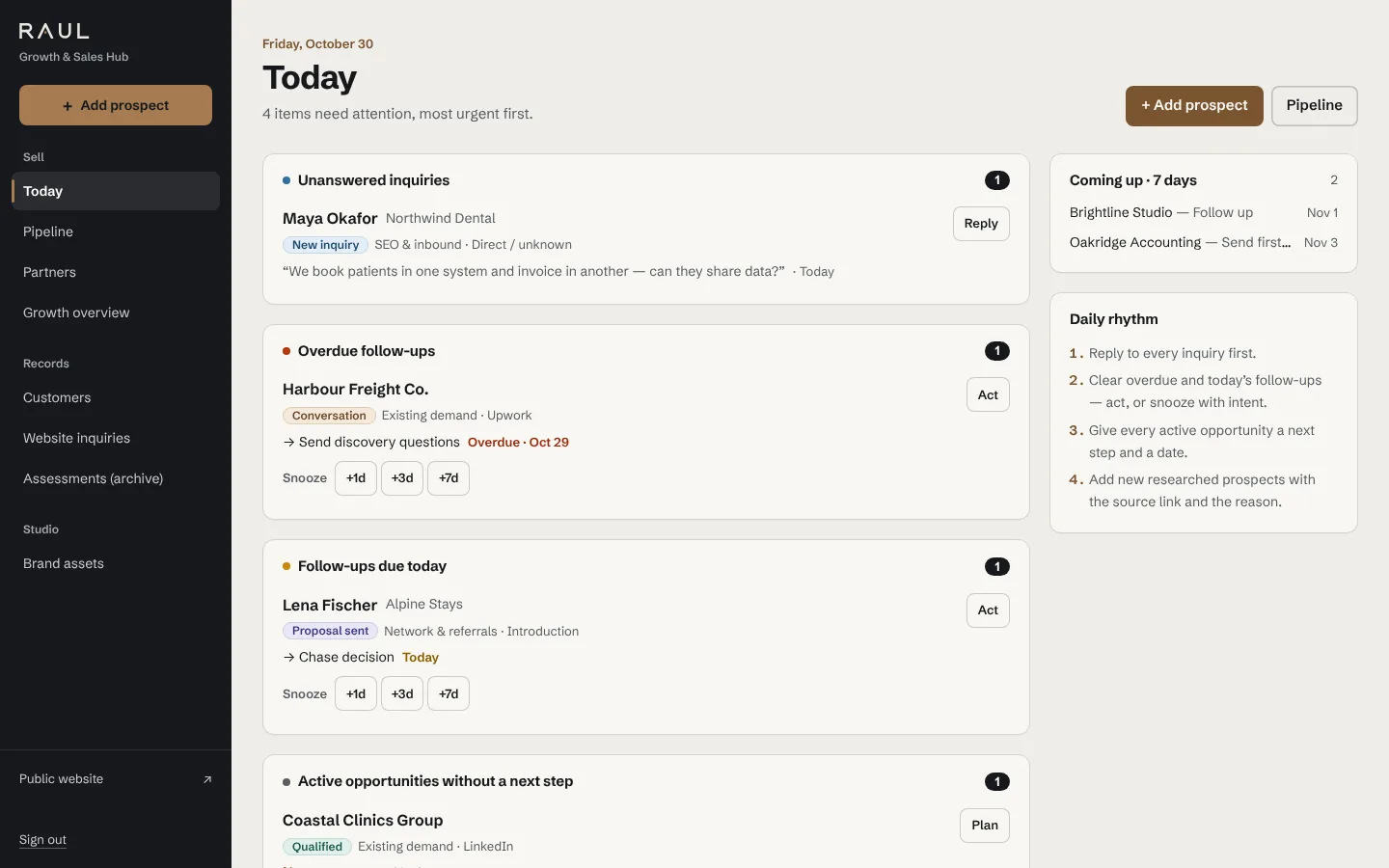
The sales system behind this website is custom software we built: inquiries arrive from the contact form with their source, land in the pipeline, notify us by email and are tracked through to payment.
In production today
- Website forms → our CRM, with source and campaign attribution
- Transactional email notifications (Resend)
- Google Analytics 4 conversion events
- Cloudbeds API (hospitality, for Satori)
Platforms clients ask about
HubSpot, Salesforce, Pipedrive, Xero, QuickBooks, Shopify, Stripe, Google Workspace, Microsoft 365, Zapier, Make. We work with these through their documented APIs; we haven’t listed client projects for them here.
For a larger example of connected systems, see the Satori case study or our Cloudbeds integration work.
How we work on an integration.
Map the flow
We look at which systems you use, what should move between them and who relies on the result. Sometimes the answer is that you don’t need custom work.
Check the APIs
We confirm what each platform’s API allows — fields, limits, webhooks, permissions — and give you a written scope before building.
Build and test
We build in small steps against test accounts where possible, with logging and alerts from the start, and show you each piece working.
Hand over and support
You get documentation of how data flows and what to do if something fails. We stay available to maintain and extend it.
Questions
Related reading: When your business outgrows WhatsApp and spreadsheets.
Do we really need a custom integration?
Not always. If a native connector or a few automation-platform steps do what you need, that’s usually the cheapest and most maintainable option, and we’ll say so.
Custom integrations earn their cost when you need two-way sync, business rules, higher volumes, careful handling of sensitive data, or when an existing no-code chain has become fragile.
Which platforms do you work with?
Any platform with a documented API. The integrations we run in production today are listed on this page. For tools like HubSpot, Xero or Shopify we start with a review of their API for your specific case — we don’t claim client projects we haven’t done.
What happens when a sync fails or an API changes?
Integrations are built to fail visibly: retries for temporary errors, logs for every run and alerts when something needs a person. Documentation explains how each part works, so it can be fixed quickly.
Who owns the code and the data?
You do. Your data stays in your systems, and the integration code and documentation are handed over to you, so you’re not locked in to us.
Can you work alongside our existing developer or IT provider?
Yes. We can build the integration, review an existing one, or work to a specification your team owns.
Which of your systems should be talking to each other?
List the tools you use and where information gets re-typed. We’ll suggest the simplest reliable way to connect them — even if that isn’t custom software.
or write to info@raulsoftwareservices.com, or message us on WhatsApp